
Feeding is one of those routines that runs on autopilot. The same food goes in the same bowl at roughly the same times, and most days nobody thinks about it twice. That is exactly why a change, a new brand, a skipped meal, a sudden loss of interest in food, is worth noticing when it happens.
A feeding log is not about counting calories. It is about having an accurate record of what your pet actually eats, so that if something changes, you can tell exactly when and connect it to what was different.
Why consistency and change both matter
Appetite is one of the clearest everyday signals of how a pet is doing. A pet that reliably eats on schedule and then starts eating less, more slowly, or skipping meals is often showing an early sign that something is off. That can happen before any other symptom shows up. Because it happens gradually, it is easy to miss without something to compare against.
Food changes matter just as much. New foods are one of the most common triggers for short-term digestive upset and, less often, a genuine allergy or intolerance. The problem is timing: a reaction can show up right away or take days to appear, which makes it hard to connect back to a specific change from memory alone.
Switching foods without upsetting a stomach
Most vets recommend a gradual transition over 7 to 10 days rather than switching overnight. The usual approach is mixing a small amount of new food into the old one. That ratio increases a little each day until the new food fully replaces the old. Going straight from one food to another, even a high-quality one, is one of the most common causes of temporary loose stool or vomiting.
Watching how a pet responds to a new food is worth doing deliberately rather than just noticing if something goes wrong. Digestive issues, skin or allergy signs like itching or redness, and outright refusal to eat are the three reactions worth watching for in the days and weeks after a change.
Tracking food in PetNid
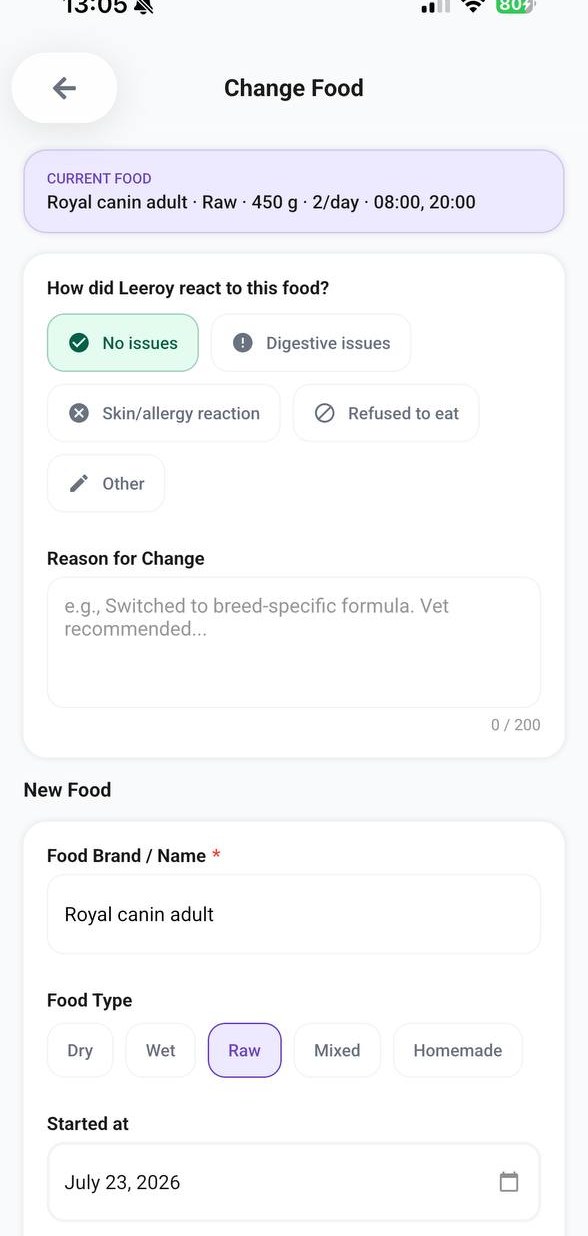
PetNid keeps a running record of what your pet eats, how it changed over time, and how they reacted to each change. That history becomes something you can check, not something you have to remember.
Why the reaction field is worth filling in
It is tempting to skip the reaction step when switching foods, especially if nothing seemed wrong. But a log of No issues is just as useful as a log of Digestive issues. It tells you which foods worked and which did not, the next time you are choosing one. If a pattern shows up, several foods causing digestive issues, for example, that history is exactly what a vet needs to help narrow down a cause.
- The current food, portion, and routine sit on the Pet Care tab at a glance
- Changing foods automatically archives the previous one to history
- Each past food keeps its dates, portion, routine, and recorded reaction
- A history of reactions is easy to bring up with your vet if a pattern appears
- Log the current food, portion, and feeding times as a baseline
- Transition to a new food gradually over 7 to 10 days
- Record how your pet reacted, even when the answer is simply no issues
- Check History if a symptom appears and you want to see what recently changed
- Mention a pattern of reactions to your vet rather than guessing at a cause
Appetite is one part of a bigger picture. The symptom diary guide covers how to log eating changes alongside energy, mood, and other signs. For a closer look at the feature itself, see the Pet Feeding Log page.
Keep a clear record of what your pet eats
Log meals, track changes, and see the full feeding history in one place.